
Connect your Simply360 team
A Team Admin authorizes the connection once. Your spaces, events, and people sync in, and Simply Spaces hears about every change from then on — no exports, no re-imports.
Product
Simply Spaces is a realtime floor-plan app for the physical side of your organization. Here is how it goes from a space list to a live, bookable map.
The data behind the map
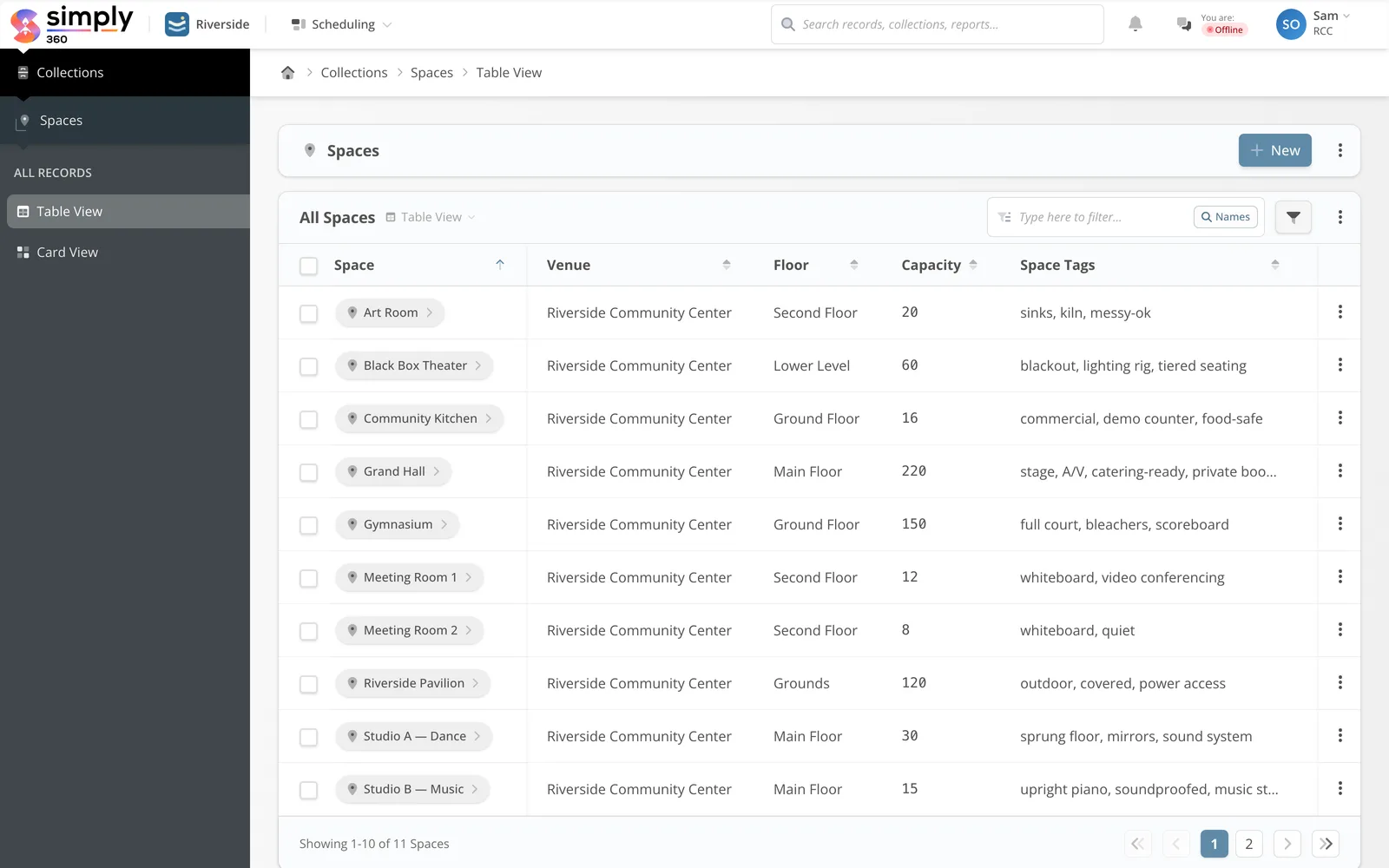 Capacity, floor, and tags feed the mapEvery room is a live record
A Team Admin authorizes the connection once. Your spaces, events, and people sync in, and Simply Spaces hears about every change from then on — no exports, no re-imports.
Simply Spaces generates starting layouts from your space list, grouped by building and floor. Open Studio to draw real geometry — rooms, walls, doors, labels — when you want the map to match the architecture.
Staff browse the Viewer with search and live status. Kiosk mode runs on lobby and door screens. Share links give the public, or verified members, exactly the view you choose.
Booking mode walks anyone through availability, quote, and request. Every request is checked against live events, buffers, and booking windows before it reaches you for approval.
Under the hood
Simply Spaces is built for the operational reality of running rooms — not just a pretty map.
Draw polygonal spaces with draggable vertices, add walls and doors, label anything, and keep multiple floors per venue — with image or PDF underlays when you want to trace the real plans.
Scrub the timeline to see status at any point — tonight’s rentals, next Tuesday’s classes. Utilization summaries show how hard each space actually works.
Lead times, booking windows by weekday, slot increments, setup and teardown buffers, conflict behavior, and approval versus instant-book — configured per booking channel in Simply360.
Fixed per-booking rates, hourly and daily rates, or space-specific pricing produce a clear quote before a request is submitted. Payment collection is on the roadmap; approvals work today.
Ungated public links, email-gated links that capture leads, and constituent links verified by magic-link sign-in. Kiosk links stay passive on shared screens.
A screen-reader space list mirrors the canvas, keyboard navigation works throughout, and the mobile view flips between list and map — the floor plan is not just for mouse users.
The short version
Viewer for browsing, Studio for authoring, Bookings for requests, Kiosk for screens — all reading the same live map, all synced with Simply360.
A working session with your real spaces beats a slideshow. Bring the floor plan; we will bring the software.